The 4-stage remote onboarding checklist for small businesses without an HR team to lean on

Save time on HR admin

Automate all your repetitive HR tasks and save yourself hours every week to focus on your most important work.

Book a demo

Key takeaways

  • Remote onboarding without a clear process costs small businesses more than time; it costs them retention. 
  • No single owner for onboarding tasks means things fall through the gaps, and your new hire notices before you do.
  • HR software handles the admin chasing so the human part of remote onboarding actually gets your attention.

Flexibility, no lengthy London commute, the freedom to work from home – remote employees get a lot out of the arrangement. And it’s mutually beneficial, since employers hiring remotely attract people who thrive working autonomously.

From my experience, though, remote working is only a benefit when everything runs smoothly – especially during onboarding. And as a small business with no dedicated HR team, you’re the one accountable for making sure it does.

The remote onboarding process tends to fall on either one person juggling it alongside everything else, or multiple people with no single owner. When things slip, the stakes are high. Disorganised or unprofessional first days are one of the main reasons these autonomous new hires start questioning their decision before they’ve had the chance to settle in. They can’t simply crack on without the right equipment, access to the right tools, someone to ask the “stupid questions” over Slack, or a clear sense of what’s expected of them.

You don’t need a perfect process or HR experience, but you do need a solid checklist and process that creates a good first impression. This remote onboarding checklist covers everything from pre-boarding to the 90-day review – so nothing slips when you’re welcoming new colleagues.

Remote Onboarding Checklist for a Small Business

Whether your new hire starts at the beginning of next month or in three months, this remote onboarding checklist is designed to be worked through at your own pace. It's split into four stages – pre-boarding, day one, week one, and the 30/60/90-day reviews – with each task noting what needs doing, who owns it, and the remote-specific detail worth paying attention to. Mandatory tasks are bolded so you know at a glance what can't be skipped.

Pre-boarding

  • Send an offer letter and employment contract to sign digitally. This must be signed before or on day one. Use a third-party digital signing tool like DocuSign – e-signatures are legally valid in the UK. Owner: Founder, with legal advice.
  • Collect personal details digitally (bank details, emergency contacts, address). Use employee onboarding software to collect these securely and reliably. Owner: Founder.
  • Complete the right to work check. This must be completed before day one. Do this via video call with document verification or via a third-party provider – ensure you follow current Home Office guidance. Owner: Founder and third-party provider.
  • Issue an HMRC new starter checklist for payroll. This is required for setting up payroll. Manage this through Charlie. Owner: Founder or external accountant.
  • Set up the payroll record. Manage this through Charlie. Owner: Founder or external accountant.
  • Order and ship necessary equipment – confirm the delivery address and expected arrival, and double-check whether they need other equipment. Build in buffer time; the laptop must arrive before day one so you set them up for a good first impression. Owner: Founder or IT.
  • Set up a company email account, Slack, and all required software accounts before the start date. Refer to the checklists on Charlie to make sure everything is done on time. Owner: Founder or IT.
  • Assign a buddy. Buddies matter more remotely – they're the person your new starter can message without feeling like they're interrupting. Owner: Line manager.
  • Send a welcome email to the new employee with a list of what to expect on day one, the video call link, and the first-week schedule. Send this one to two weeks before the start date, not the day before, and include practical details about life at the company, hybrid expectations, and other first-day info. Owner: Founder or line manager.
  • Share the employee handbook and key policies digitally. Remote employees lean on this more than hybrid or in-person ones, so keep it detailed and up to date. Owner: Founder.
  • Define the budget for a home office set-up, if applicable. Make clear what the new starter can expense before day one so they're not requesting this all at once on their first days. Owner: Founder or finance.
  • Add the new hire to relevant team calendars and invite them to standing meetings. Coffee breaks and informal chats help new starters meet the team without it feeling forced. Owner: Line manager.

Day one

  • Your new hire has a welcome video call with their line manager – this should be the first activity on day one. Don't let day one start with radio silence; you've got to virtually meet your hires as they enter your figurative building and walk them to their desk. Owner: Line manager.
  • Walk through the IT set-up, confirm everything works, and troubleshoot if it doesn't. Get a real person involved if issues arise; having your new hire file a ticket to someone they don't know isn't a great look. Owner: Line manager and IT.
  • The new hire has a virtual office tour, getting to know key tools, channels, and where to find information. Share your screen during a call – or pre-record Loom videos – to show which tools they'll use daily, which Slack channels to join, and where to find important documents. Owner: Line manager or assigned buddy.
  • Run a health and safety briefing, including a Display Screen Equipment (DSE) assessment – this is mandatory, even for remote workers. You retain a legal duty of care for home working environments. Owner: Founder.
  • Run a GDPR and data protection briefing – this is mandatory. Make sure this is documented. Owner: IT.
  • Introduce the hire to your team and encourage your new starter to post in the team channel. Use Slack or another messaging tool – even better, a directory like Charlie's – so they get familiar with the team and their roles. Owner: Line manager.
  • Review your new starter's first-week schedule together. Make sure there's breathing room between calls. Owner: Line manager.
  • Confirm the probation period and what success looks like; establish what's expected of them. When working remotely, it's important to put expectations or goals in writing as well as saying them. Owner: Line manager.
  • Answer any initial questions and encourage further questions. Slack is handy to have on hand for this. Owner: Line manager.

Week one

  • Set up daily informal check-ins between the new hire and their line manager, via Google Meet, Slack huddle, or another medium. Owner: Line manager.
  • Clarify the overview of the role and any initial goals that will be set. Put the role overview in writing and share it ahead of the conversation – remote hires process information better when they've had time to read, not just listen. Owner: Line manager.
  • Confirm they have access to all required systems, checking during your check-ins. Owner: Line manager.
  • Schedule any role-specific training, spacing it across the week so information is better retained. Make sure the calendar is kept up to date. Owner: Line manager.
  • The line manager shares their "manual of me" – working style, preferences, and how they like to communicate – and asks the new starter to complete one too. This removes ambiguity about working preferences that would be picked up naturally in an office, and gets you both to productivity faster. Owner: Line manager.

At 30/60/90 days

  • 30-day check-in: Find out how they're settling in, whether they have any blockers, and whether they feel part of the team. Create a safe space; remote workers are often hesitant to share feedback without a clear understanding of team dynamics. Owner: Line manager.
  • 60-day review: Go over role, team integration, and any new blockers that have cropped up. Running this in software like Charlie can help. Owner: Line manager.
  • 90-day probation review: Go through a formal assessment of their first 90 days, and set objectives and a development plan. Book this in at the 30-day mark so it's on both your calendars – remote probation reviews are easier to postpone than in-person ones. Owner: Line manager.
  • Ongoing: Ensure regular 1:1s are scheduled beyond the onboarding period. Reviews can again be a powerful tool here so everything is kept in one place. Owner: Line manager.

Want this as a downloadable Word doc instead, so it's easier to share or edit with your team?

For a broader view, our full onboarding checklist covers in-person, remote and hybrid onboarding in one place. Hybrid onboarding sits somewhere in the middle – tasks like meeting the team or initial 1:1s tend to happen in person, while compliance, equipment setup and training often happen remotely.

❓What’s the line manager’s role?

You might have noticed by now from the remote onboarding checklist that a line manager is heavily involved in welcoming new hires.

Line managers are your new hire’s first point of contact, so they need to be set up well – especially if they’ve never onboarded anyone remotely before. As the person running onboarding, your job is to help them put the right structures in place. 

I usually share these, and we decide together what sounds reasonable for the role and seniority:

  • Regular one-on-ones – define how often they should happen
  • A clear role description, so expectations are set from day one
  • Which KPIs and objectives to introduce gradually and how to communicate early whether the new hire is on track
  • A “manual of me” from both sides, so you’re not guessing how each other works
  • A list of tasks the new hire can get involved with, such as shadowing team members or taking early ownership of small projects
  • An onboarding checklist template 

I find it’s worth scheduling a few check-ins with the line manager themselves through probation too. They’re onboarding a person while still doing their day job – they’ll appreciate the support and external feedback.

Beyond the checklist: How can I build a remote onboarding process?

Now you know what to tick off, but a checklist on its own is still manual – and as a small business without a dedicated HR team, you don't have much room in your day for “manual”.

What matters just as much as the tasks is the remote onboarding process around them. Your new hire isn’t sitting next to you, and you won’t get the natural reminders – a chat over coffee, a quick question at lunch – that show you what they need to feel settled and empowered to get started. The dos and don’ts below are the remote onboarding practices I’d share from my own experience: the bits a checklist alone doesn’t really capture when it comes to creating welcoming onboarding experiences.

Dos and don’ts for onboarding a remote employee you want to impress

These are the tasks worth getting right when you’re onboarding a remote employee.

  • Send a welcome email one to two weeks before their start date. Don’t just cover the logistics – reassert what your new hire was told during the hiring process, introduce their buddy, send them the company handbook and signpost the home office budget if there is one. Let them know what they can get and how to get it. As our Chief of Staff Patrick Morrison frequently says: “By the time someone starts, they shouldn’t be guessing what their first day looks like.” It’s important for new hires to focus their energy on building connections and understanding how you work, rather than focusing their energy on all the anticipation of what’s going to happen.
  • Build a process designed for remote from the ground up. In my experience, trying to replicate in-person onboarding remotely doesn’t work – routing laptops through the office, expecting people to come in on day one. You end up with a new joiner who doesn’t know when their laptop is arriving and your team chasing couriers. The goal is building a process that’s operationally sensible and scalable, not stressful.
  • Make the first day feel like a welcome, not a video call marathon. Book the welcome chat first thing in the morning, confirm the tech works, and encourage them to introduce themselves in the team channel. Between calls, build in breathing room – day one shouldn’t feel like five meetings stitched together with no thread connecting them. At CharlieHR, we try to make sure there’s a clear narrative to the onboarding schedule by answering: here’s who we are, here’s how we work, here’s who you’ll be close to.
  • Do the “manual of me” exercise in week one. Line manager shares theirs, new starter completes one too. This removes ambiguity about working preferences that would be picked up naturally in an office – and gets you both to productivity faster.
  • Track progress during remote onboarding with something better than a Word doc. Most small businesses start with a static checklist – which breaks down faster remotely, because nobody owns individual tasks and nothing gets updated. Moving to an assigned, trackable checklist is where most of the time savings come from.

And, even if you’re following all these onboarding best practices, it’s just as important to avoid these retention killers.

  1. Don’t micro-manage. Most people choose remote jobs for the autonomy, so give them space to settle in at their own pace. The checklist is there to take admin off your plate, not to pile structure onto theirs.
  2. Don’t rely on Slack intros alone. A quick “welcome Sarah!” in the team channel doesn’t replace a 15-minute video call with each key stakeholder in week one. Remote hires need deliberate introductions, not passive ones.
  3. Don’t let daily check-ins turn into performance reviews. In the first week, these should be short, friendly and low-stakes.
  4. Don’t treat onboarding as finished after week one. The 30, 60 and 90-day reviews are where remote onboarding really gets tested – this is when people quietly disengage without anyone noticing. Book them in early, and protect the time.

When small businesses get this right – and this is something everyone in your small team can help with – they make the new hire feel welcome, empowered, equipped with what they need. This has a significant impact on retaining the person you’ve fought hard to find. 

What are the compliance essentials for onboarding remote employees in the UK?

Verification gets harder when you’re onboarding remotely – there’s no handing someone a form across a desk and watching them fill it in. Everything has to be requested, tracked and confirmed digitally, and it has to happen before day one.

Pre-onboarding checklist for remote hires in the UK

Completing this list doesn’t need to be daunting, even if you don’t have a dedicated legal or HR team. 

Compliance was the thing I was most worried about when we transitioned to remote work. In person you can just hand someone a form. Remotely, you need a proper flow – who’s requesting what, when and how you’re confirming it’s been done. The good news is once you’ve sussed out this part of your remote onboarding process, things move like clockwork.

At CharlieHR, we’ve adopted a third-party provider (Zinc) and a checklist flow to handle pre-employment checks, document signing and verification efficiently and compliantly. That includes IP deeds, ISO policies, and nomad working responsibilities, and none of it lands on one person to sort manually.

“Right to work used to be someone showing their passport on a video call and hoping that was enough. We now use a third-party provider to handle it properly. It’s better for compliance, better for the candidate experience, and it takes it off our plate entirely.”

– Yasmin Lord-Pottinger, People and Talent Lead at CharlieHR

How do small businesses make remote onboarding work without a dedicated HR team?

Working in a small team has its upsides – more ownership, fewer layers, quicker decisions, perhaps even closer connections with your remote colleagues. But when one person is managing onboarding alongside another full-time job, with no IT department and no HR colleagues, the work you actually signed up for starts to suffer. We’ve seen this a lot.  

While HR software probably isn't the first thing you think about when you’re a team of under 30, it’s much easier to put in place early and scale than to retrofit later, once you realise that onboarding every new hire feels messy and unnerving. And these new hires can sense this as well.

Good HR software designed for small businesses takes the admin off your plate without making onboarding feel robotic – and without charging you for features only enterprise businesses actually need. Automatic document requests and reminder nudges mean nothing slips through the gaps without anyone having to manually chase it. What’s left is the human part: actually welcoming the new person, keeping in touch with them as they grow into the role and answering the questions a form can’t.

More than anything, it gives you consistency. Every remote new starter gets the same quality experience regardless of which manager they join, or whether that manager has onboarded anyone before. That matters more remotely, because the informal onboarding that happens naturally in an office simply doesn’t exist.

What to look for in remote onboarding software

The best software tools for onboarding remote employees should give you:

  • Self-service onboarding – so new starters can upload their own documents without going through you
  • A company handbook and directory in one place, so they never have to ask where to find something
  • Affordable pricing plans that scale with your team, so you’re not paying enterprise prices
  • Working location tracking, so everyone knows where everyone else is based
  • Integrations with your existing stack, so you’re not copy-pasting between systems

My advice is to decide on your tech stack early and keep it narrow. You probably won’t have time to migrate later, and the more tools you stack on top of each other, the more likely information is to get lost or out of date.

“We use Charlie for the checklist and compliance side – that’s where tasks live, get assigned and get tracked. Notion is where the company knowledge lives. The two are linked. The moment you start adding more tools into the mix, things start falling through the gaps.”

– Yasmin Lord-Pottinger, People and Talent Lead at CharlieHR

And when your team grows – maybe bringing hybrid working into the mix – the process you’ve built needs to scale with it. That’s exactly where HR software pays for itself: whether you’re welcoming one person or ten in the near future, tasks stay on track, every new hire feels welcomed and the process stays professional.
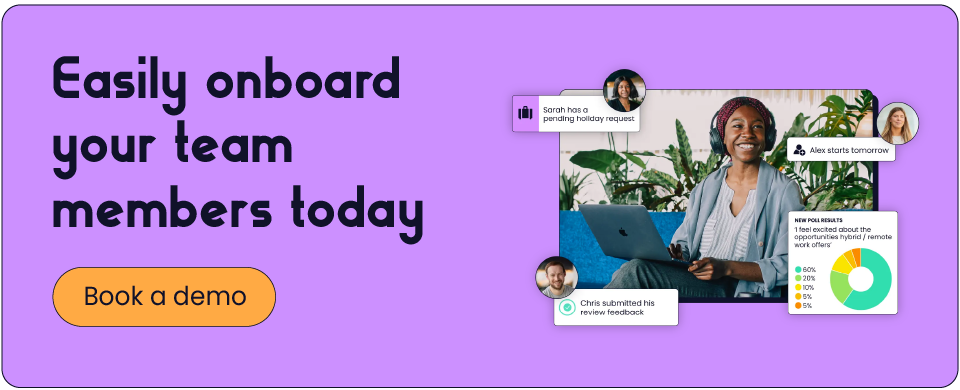
With the right employee onboarding software, the autonomous employees you’ve sought out specifically for your team will be able to start thriving in their role not long after you’ve got off your first video call with them.

FAQs

What is remote onboarding?

Remote onboarding is the process of welcoming and integrating a new employee into your team entirely – or mostly – online. It covers everything from sending contracts and completing right to work checks before day one, to setting up equipment, running virtual introductions and checking in regularly through their first 90 days. For small businesses, it often means one person or a few people coordinating all of this alongside their other responsibilities.

What should a remote onboarding checklist include?

A remote onboarding checklist for small businesses should cover four key stages: pre-boarding (contracts, right to work, payroll, equipment, software setup), day one (welcome call, IT set-up, team introductions, compliance briefings), week one (role clarity, check-ins, system access, training) and 30/60/90-day reviews. Remote-specific additions to this checklist include a buddy assignment, a home office budget and a "manual of me" exercise to help new starters and managers work better together from behind a screen.

How do you onboard a remote employee effectively?

Effective onboarding for small businesses when hiring remotely includes clear task ownership, early communication, a structured day one and regular check-ins that don't trail off. Build a process that's designed for remote from the ground up, with the right tools to handle documents, compliance and task tracking without things slipping through.

How long should remote onboarding take?

Formal onboarding typically runs to 90 days, ending with a probation review. But the most important period is the first week – this is when remote employees decide whether they’ve made the right move, based on how settled they feel and how seamless their onboarding is.

What are the legal requirements for onboarding a remote employee in the UK?

Before or on day one, you must complete a right to work check (this can be done via video call with document verification, or through a third-party provider), issue a signed employment contract, issue an HMRC new starter checklist for payroll and conduct a health and safety briefing including a Display Screen Equipment (DSE) assessment. GDPR and data protection training is also mandatory.

How do you make remote employees feel welcome?

Make employees feel welcome before day one – a warm, informative welcome email sent one to two weeks out sets the tone. After they start, keep the communication running: open with a video call, walk them through what to expect and give them a clear first-week schedule. Assign a buddy, encourage them to introduce themselves to the team and build in regular informal check-ins. The goal is to give remote new starters the connection and clarity they’d naturally pick up in an office.

What’s the difference between remote onboarding and in-person onboarding?

The core tasks are largely the same – contracts, compliance, introductions, training – but the execution is entirely different. Onboarding remote employees is often more complex, in that every touchpoint has to be deliberate and there are components such as equipment shipping, digital document signing and remote right to work verification that in-person onboarding doesn’t face in the same way.

Can you do right to work checks remotely?

Yes. UK employers can conduct right to work checks remotely, either via video call with document verification or through a certified third-party provider. Home Office guidance on accepted methods changes periodically, so it’s worth checking the latest rules on GOV.UK before your next hire. If you’re hiring remotely regularly, a third-party provider is often worth the investment – it’s more compliant, a better candidate experience and takes the manual process off your small team’s plate entirely.

Finola Rance

Finola is CharlieHR's People and Talent Manager and is constantly working on iterating HR policies and building happy and high-performing teams at the business.

Got an HR challenge?

Time off
I want to track holidays and sick leave
We lose track of who's off and when. Spreadsheets lag behind, and mistakes cause too much stress.
How to manage time off at your small business
10 min read
Read our guide
Docs
I want to securely store employee data
Our HR files are scattered. It's time-consuming, unreliable, and risky for GDPR.
Why you need an employee database (+ free excel template)
6 min read
Read our guide
Perks
I want to offer competitive perks & benefits
We can't offer big perks, and the ones we do often go unused. It hurts morale and retention.
The power of Perks: employee benefits for small businesses
8 min read
Read our guide
Reviews
I want to run impactful performance reviews
Reviews feel rushed and inconsistent. Without clear goals, progress and recognition slip away.
Performance management: the complete guide
8 min read
Read our guide