
Learn how to cut HR admin
Get any questions answered
Zero commitment
Spreadsheets are free and easy to use, but are they the right tool for managing leave and tracking time off? While they work for some small businesses, over time spreadsheets can become a roadblock for teams trying to grow or handle more complex working patterns.
If you’re not sure whether to switch to HR software or not, this is the guide for you. We’ll explore the main reasons why businesses outgrow spreadsheets, what changes when you switch to HR software, and the costs of sticking with spreadsheets vs. investing in software. There’s also a simple assessment tool to help you figure out the best next steps for your business.
Most small businesses start with a simple spreadsheet for all things HR — including leave tracking and holiday management. Spreadsheet tools like Excel or Sheets are free, familiar, and simple to use. It’s easy to open up a new spreadsheet, add data, set up a simple formula, and begin tracking leave.
You can create a new spreadsheet in minutes and quickly share it with anyone that needs access. The sheet stores all the data you need to remember, so it can live in one place instead of across email threads. Your spreadsheet becomes an early HR system of record before you’re ready to invest in software.
Spreadsheets work well at first, when your team is small and there’s nothing complex to keep track of. As your business grows and HR starts taking up more of your time, you start to wonder if there’s a better way to track leave.
Most small businesses find they outgrow spreadsheets when they reach one (or more) of these stages:
Spreadsheets aren’t a bad starting point, but they tend to break as you grow. It’s hard to scale systems when they live on paper, in emails, or in spreadsheets.
The right time to switch to HR software is different for every small business. For some, it’s when they realise that it’s taking too much time to update spreadsheets every month. For others, it’s because they want to introduce more systems, processes, and policies, and it’s easier to do that with HR software in place.
If you’re not sure what’s right for you, use this simple assessment tool to guide you on what to do next:
Tick all that apply:
Saying goodbye to manual HR admin and moving to a system that handles leave management for you removes a huge burden from founders and managers: their time is once again free to work on tasks that move the business forward.
Compare life before and after HR software:
Before
(with spreadsheets)
After
(with HR software)
Submitting a holiday request
Employee sends an email to their manager
Employee submits request directly
Approving holiday requests
Manager checks calendar, looks for clashes, emails back to say yes or no
Manager is alerted to any clashes automatically, then can approve or deny in one click
Calculating time-off allowances
Create (and rely on) a formula to be correct in every situation
HR software automatically calculates based on employee type, working hours, and any relevant information
Calculating leave balances
Create a formula that updates when information is changed manually
HR software automatically calculates balances according to real-time data
Checking who’s working and who isn’t
Manager checks a shared calendar or spreadsheet, which may not always be up to date and accurate
Manager checks the shared calendar in the HR system, which is updated in real time
 Read the case study
There are many affordable options for smaller teams in the UK, with HR software pricing at around £4 per employee per month, or from £20 per month for flat-rate plans. Small business HR software is designed to be budget-friendly, but whether it’s worth the cost or not depends on your goals and requirements.
HR software with a leave management system comes with an added cost (compared to using spreadsheets), but for most businesses the added features, ability to automate parts of the process, and reduction in errors make it a useful investment.
HR software
Spreadsheets
Spreadsheets
Automated time tracking, leave management, time off requests
✅
✅
❌
Employee self-service
✅
✅
❓ depends on settings
Employee records and document management
✅
☑️ for leave tracking only
❌
Core HR, onboarding, performance management, and employee engagement
✅
❌
❌
One system of record for all things HR
✅
❌
❌
Features and settings built for UK HR compliance
✅
✅
❌
Easy to use
✅
✅
✅
Affordable
✅
✅
✅
Software examples
Charlie HR, BambooHR, Breathe, HiBob, Personio
Timetastic, Papershift
Dedicated support team with experience of HR in the UK
From £21 per month for a small team (Charlie’s pricing) or £4 per employee per month (other HR software)
From £1.20 per employee per month
Free, or included with a Microsoft or Google subscription
Both all-in-one HR software and standalone time tracking tools are valid options for small businesses. The main difference between the two is the range of features included, and what you can use the software for beyond time-off management.
Spreadsheets are free but they come with hidden costs, like:
HR software can reduce the likelihood of running into these admin and risk-related issues. Every business is different, so consider whether the benefits of leaving spreadsheets outweigh the financial costs.
Charlie is an ideal next step for small businesses that currently use spreadsheets for HR, and it’s possible to make the move from manual HR admin to a purpose-built system in under 30 minutes.
Here’s how:

Book a demo with our friendly team for a full tour of the platform, how it works, and what you can do. After the demo, enjoy a 7 day free trial (with no credit card or commitment required) so you can make sure it’s the best software for your small business. Once you’re happy with everything, sign up to unlock ongoing access to Charlie HR from just £21 per month.
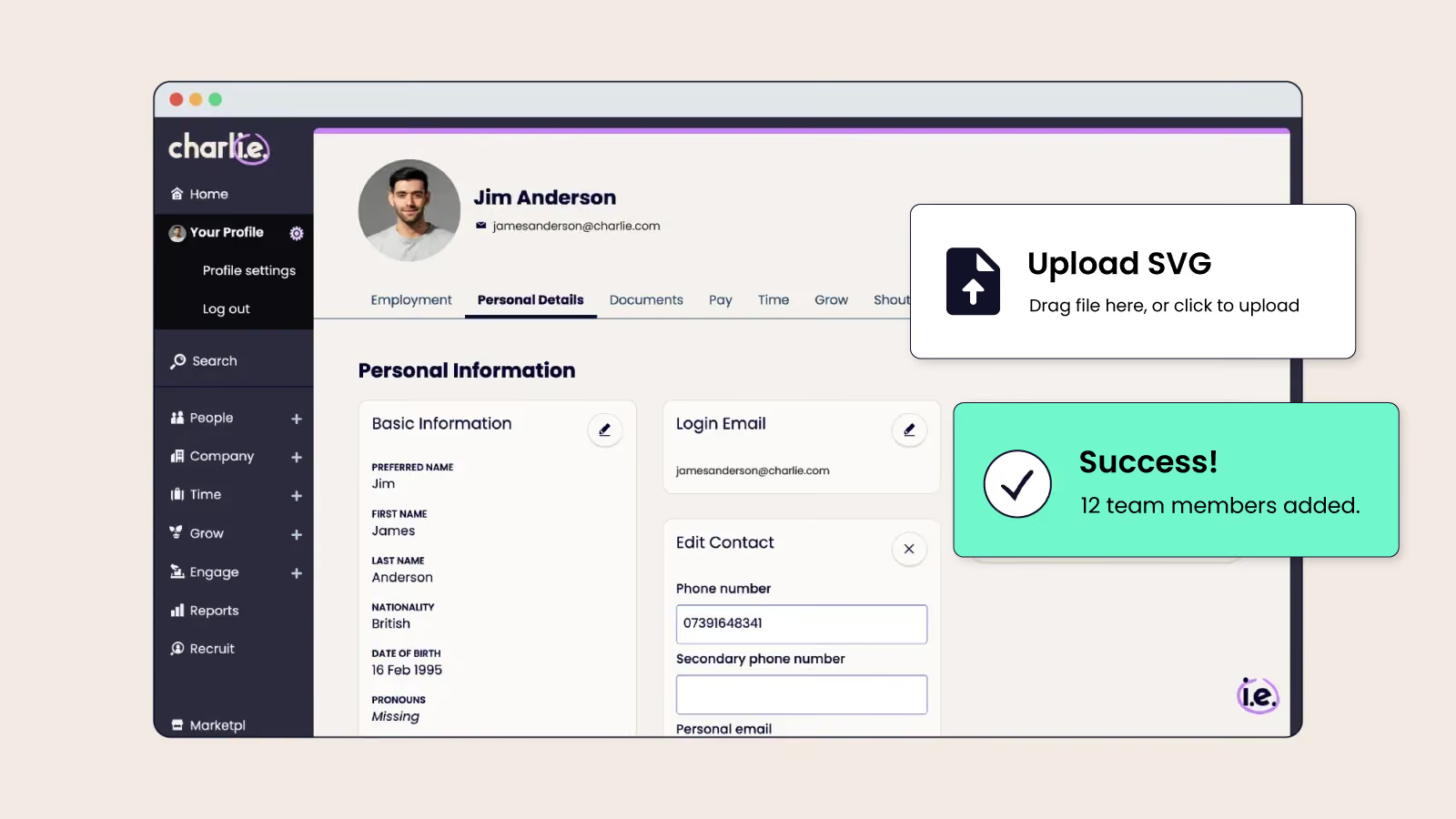
Follow the step-by-step process to import your employees at once. The guide walks you through how to prepare your data, which fields are mandatory, and how to upload a CSV file to import team members.
You’ve now successfully transitioned from spreadsheets to HR software!
Complete the rest of the process in your own time, including customising your settings, uploading employee docs and policies, and exploring all the features in depth.
 Read the case study


The best way to stop accidental holiday clashes and double-booking is to use a staff holiday planner or leave management tool that automatically alerts you to issues before they’re approved.
Leave tracking for a small team shouldn’t be overwhelming for managers. With manual systems it can take several hours per week or month, depending on the size of the team and the processes you use. If you automate time tracking or use dedicated software, managers can get the information they need in moments.
Small businesses should switch to leave management software when using spreadsheets becomes overwhelming, too time-consuming, or too much of a compliance risk. For some businesses, this happens quickly, while others are happy to use spreadsheets until their team size grows beyond 10+ people.
Leave management software for small businesses can cost as little as £1.20 per employee per month if you choose a simple, standalone time tracking tool. For all-in-one HR software that includes time-off management and other core HR features, expect to pay around £5 per employee per month — or from £21 per month for a small team with Charlie HR.