Free for 7 days
No credit card needed
Cancel any time


This guide focuses on HR database software UK businesses can use to manage employee records, with options for different team sizes and HR needs. Finding the right tool comes down to your current team size and the specific HR headaches you want to solve.
For UK businesses comparing HR database software, the best choice depends on your team size and what you need to do with your employee records.
In my role at Charlie, I study the pros and cons of other HR solutions in order to improve our own platform. I’ve spent a great deal of time researching HR databases, and I’ve narrowed down my findings for this guide. Let’s take a look at them.
See Charlie in action and find out how effortless HR can be.
Since Charlie is our own platform, we’ve gone into a little extra depth here. We’re obviously biased fans, but our goal is still to help you pick the best tool for your team, even if it’s not us!
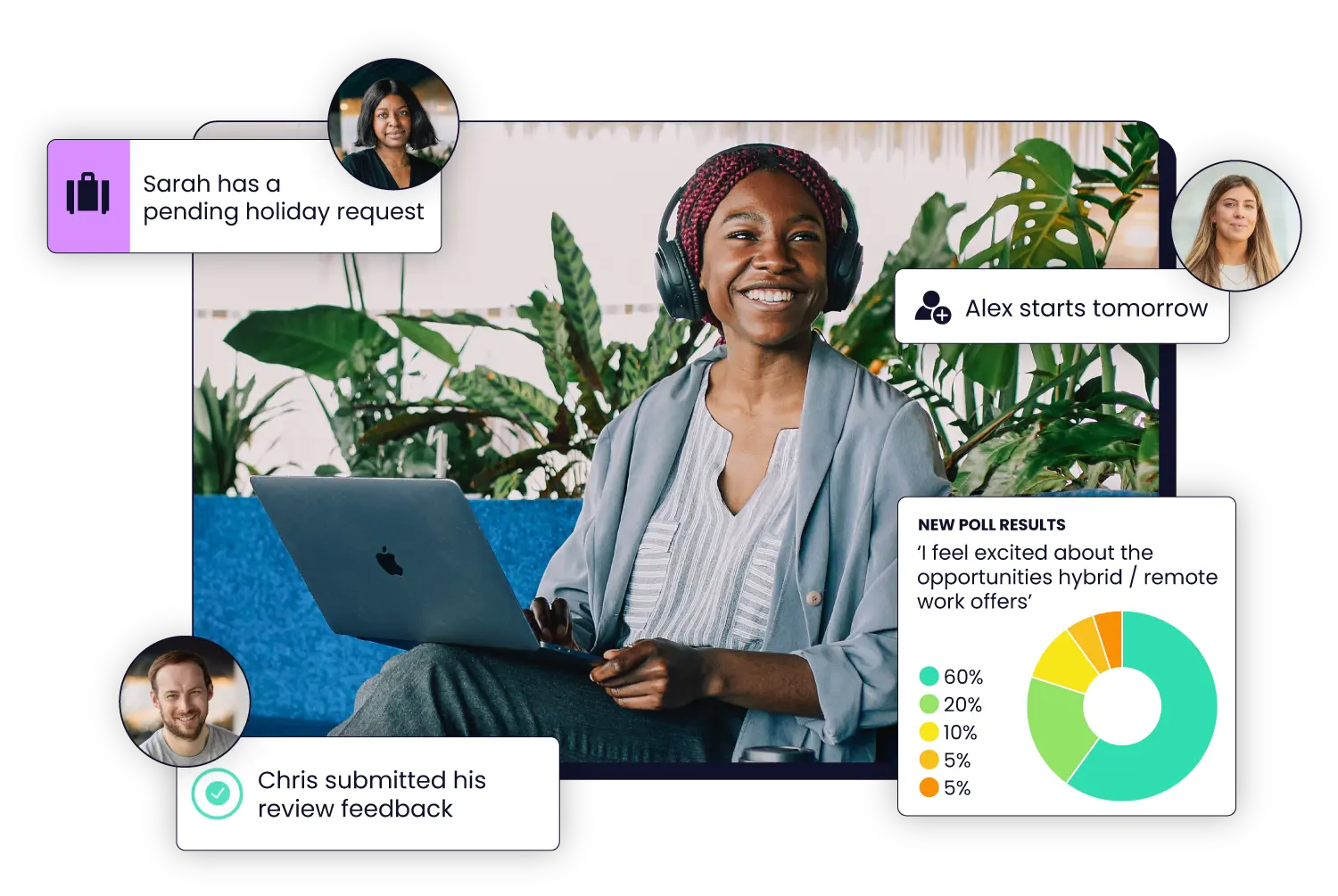
Charlie gives you one place to keep employee records organised and easy to find. It’s also packed with HR features, including onboarding, performance reviews, time off management, employee benefits and engagement surveys.
Here’s how Charlie makes everyday HR admin easier:
Self-service onboarding puts admin on autopilot: New joiners input their own details, while employment contracts or updates can be sent for e-signature.
Automated time-off tracking supports UK holiday compliance: Automatically calculates leave balances and accounts for bank holidays based on your settings.
Built for UK data protection & compliance: Helps you manage employee records in line with UK data protection requirements.
And here’s how Charlie keeps your records secure:
Centralised record keeping: Store employment records and personal data in one encrypted location rather than scattered across email threads and desktop folders.
Role-based permissions: Restrict sensitive files, like sickness records or salary details, so line managers and peers only see the information their permissions allow.
Offboarding archives: Safely archive former team members’ files when they leave, keeping records available without keeping ex-employee accounts active. You decide how long to retain those records to meet your legal obligations.
What else you get with Charlie:
Team member profiles: each employee gets their own profile for personal data, documents and time off info
Employee handbook: company policies are arranged in a professional and easy-to-find handbook, for employees to review whenever they need
Org chart: a complete overview of your company structure split by teams and departments
Simple and fast: Charlie’s so easy to set up that there’s no training required!
👍
You’re a UK small business or startup
❌
You run a complex multi-country business
👍
You manage HR alongside another role
❌
You’re a large company
👍
You want core HR & onboarding in one place
👍
You need secure records with UK GDPR support

Zelt stores employee information and documents alongside tools for UK payroll and IT management. It could be a good fit if you want to manage payroll, app access and company devices alongside your employee records.
👍
You have at least 20 team members.
❌
You have fewer than 20 team members.
👍
You want to manage UK payroll alongside employee records.
❌
You only need an employee database for routine HR admin.
👍
Your onboarding process includes setting up devices or app access.
Zelt gives you a 360° view of each employee across HR, payroll and IT. Instead of managing these areas separately, you can use the same employee information to manage everything from payroll to app access and company devices.
BambooHR brings employee records and documents together with built-in tools for reporting, hiring, onboarding and time-off management.We recommend BambooHR for larger organisations with over 200 people who need deeper analytics and customisable workflows. At that scale, having detailed reporting under one roof makes overseeing a sizable workforce much simpler than managing employee data across separate systems.
👍
You need custom employee reports.
❌
You have a small team with simple HR needs.
👍
Managers need different workforce views.
❌
You need performance management in the Core plan.
👍
You want hiring and onboarding built in.
BambooHR is built to handle the extra complexity that comes with a larger workforce. Custom reports, employee data fields and access levels give HR teams more control over how they organise information and share it with managers across the business.
Factorial has an employee directory and document tools, with additional products for areas such as talent and finance. You can choose tools for reviews or expenses if you want those processes connected to employee information.
We recommend Factorial for businesses that want their employee database to support both people management and financial admin. Its talent tools cover areas such as performance reviews and training, while its finance tools include expenses, procurement and project management.
👍
You want HR and finance in one system.
❌
You only need basic HR admin.
👍
You need talent management tools.
❌
You want a simpler all-in-one package.
👍
You want to add features as you grow.
Factorial’s optional products extend into finance work, including expenses and projects. A business that wants those tasks connected to HR can build a plan around them.
Breathe is designed for UK small and medium-sized businesses, and covers employee records and documents, as well as holiday, absence and performance management. Other modules are available at an additional cost.
Its focus on everyday HR tasks makes it a good fit for UK SMEs that want a straightforward way to manage employee information, leave and absence without adding unnecessary complexity.
👍
You’re a UK small business.
❌
You need payroll and IT management.
👍
Holiday and absence are priorities.
❌
You want all modules included.
👍
You want predictable pricing as your team grows.
Breathe combines employee records with the HR tasks a UK small business handles regularly. Its per-business price also gives you a clear starting figure for your current headcount.
HiBob’s Bob platform combines employee records with reporting, HR workflows and tools for employee engagement, including company updates and recognition. Businesses can add other products according to their needs.
For mid-sized and global companies, Bob can accommodate different policies and processes across locations while giving employees a shared place for company communication and recognition.
👍
You manage a mid-sized or international team.
❌
You have a small UK team with fairly simple HR needs.
👍
You want employee records and engagement tools together.
❌
You need a published starting price to compare providers quickly.
👍
Your HR processes need to work across locations.
Bob combines HR management with employee engagement tools, making it particularly suited to larger teams spread across different locations. You can manage different HR processes while giving employees one place for company updates and recognition.
The easiest way to compare HR databases is to test them against work you already do. Write down the records you manage and choose one common task to try in each demo.
Bring a real example to the demo and try one of your everyday HR tasks, so you can see how easy the software will be to use.
When you’re running a small business, HR is often just one part of someone’s job. But employee records can include sensitive information, like pay and sickness details, so you need to know who can see them and who’s responsible for keeping them up to date.
Spreadsheets might work when your team is tiny, but they can quickly become harder to manage as you grow because employee details end up living in one spreadsheet, while contracts and other documents are scattered across different folders and apps. An HR database keeps those records together and lets you control who can access them.
It’s also worth knowing how long you need to keep different employee records and when they should be deleted. The Information Commissioner’s Office guidance on employment records is a useful place to check what’s expected of your business.

An HR database, or employee database software, is a system or platform where businesses safely store and manage data and documentation about their employees.
The kind of data stored in an HR database includes pay, work history, time off and attendance, and performance reviews.
Charlie is an all-in-one HR platform where small businesses can safely store their employee data and automate their HR processes and related admin. Book a demo.
HR databases keep employee information in a place where the right people can find and update it. They can also connect those records to tasks such as onboarding and time off management.
For a small business, this means fewer separate files to manage as the team grows. The software can make record-keeping easier, while your business remains responsible for how it handles employee information.
Small businesses often manage HR without a dedicated team, so HR software can make it much easier to keep employee records and documents organised and up to date.
It can also cut down on manual admin, while giving you control over who can access sensitive information.
Employee records contain sensitive information, so you need to make sure they’re only available to the people who need them. Check that your HR software lets you control access to sensitive records and remove access when someone leaves.
It’s also a good idea to review permissions when people change roles. The Information Commissioner’s Office advises employers to consider who needs access to employment records and how long different records should be kept.
Spreadsheets can work when your team is small, but they get harder to manage as you grow. Employee details might be in one spreadsheet, while contracts and other documents are stored somewhere else. You also have to keep everything up to date and make sure only the right people have access.
An HR database puts all of that information in one place. Many also let team members update their own details, so you don’t have to make every change yourself. If you’re still collecting information manually, Charlie has an employee details form and an employee database template you can use in the meantime.
Many HR databases connect with tools you already use, like payroll or recruitment software. Before you choose one, check that it supports the integrations you need, what information they share and whether they’ll cost you extra.
Your HR database should store the information you actually need about your team, like contact details, contracts and time off records. Some information is more sensitive than others, so make sure you can control who sees things like health or sickness records.
You don’t need to fill in every field just because it’s there. Start with the information your business needs and keep it simple.
Most providers let you import employee information from a spreadsheet and export it again if you decide to leave. Before you sign up, check what you can take with you, including documents and historical records, and what format you’ll receive it in.
It’s also worth asking what help you’ll get when importing your existing records or moving them somewhere else.