




As an ops manager, there's a lot on your plate. Performance reviews require a lot of organisation and chasing others to give feedback. It's no surprise that they're easily sidelined, even if the insights they bring are extremely valuable.
Performance management is a powerful way to inspire, motivate, and support team members. But the system you have now isn't working. It's time to look for an alternative that gives you effective results, without the high upfront effort.
It's not uncommon for reviews to get delayed or skipped. There are many reasons why, and an ops manager might find themselves falling behind even if their intentions are good.
Some of the main reasons ops managers struggle with performance reviews include:
🥊 No HR experience: If you don't have HR experience, running performance reviews can seem complex or intimidating.
🥊 Lack of time: Your everyday to-do list is already busy, with no room to come up with a plan or strategy.
🥊 Sense of overwhelm: When you're responsible for hiring, culture, operations, and payroll, creating a review process feels overwhelming.
🥊 Scared to get it wrong: You don't want to come across as too formal or traditional.
🥊 Not sure where to start: You know reviews are essential, but aren't sure how to get started.
These challenges are completely normal, but there's a better way forward.

"Our favourite feature has to be the performance reviews one. Since the 360-feedback tool has been added, we can simply do all of what we want in the software. It couldn't be any easier, and it also gives us the opportunity to really focus on our team's growth."
Valentina Milanova, CEO & Founder at Daye
Read case study
Running performance reviews should feel as simple as any other task — and it can, with the right software. Here's how Charlie can help you create and sustain a performance review process that's both manageable and impactful.
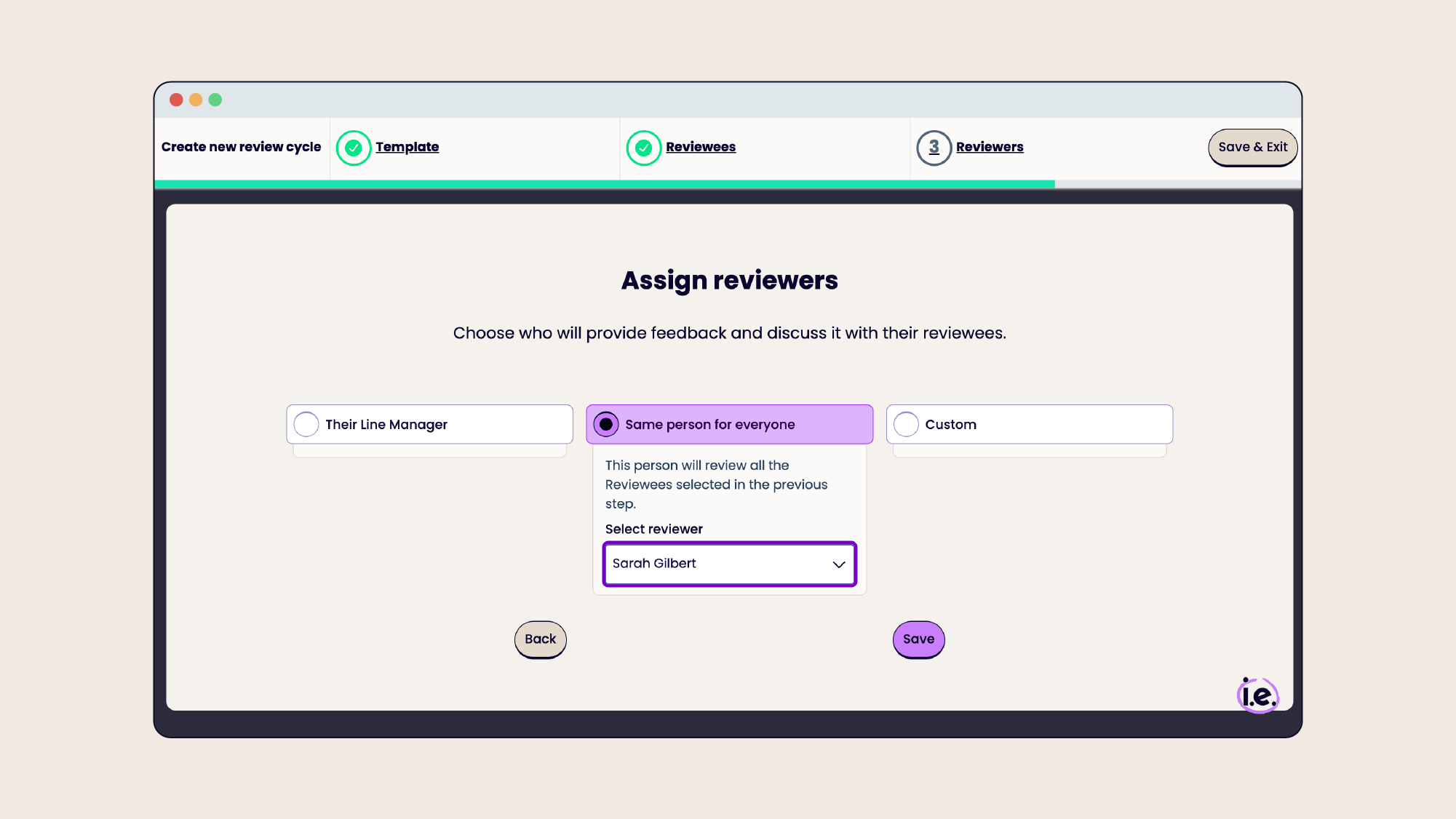
We want Charlie to be easy to use, even if you're new to performance management. For your first review cycle, our guided setup experience walks you through everything from choosing reviewers to setting timelines, with bonus tips to help you succeed.

Start straight away with built-in review templates, or take a template and customise it with questions tailored to your goals and culture. You can always update your review templates and process as you go.

It's normal to not know how to take part in a performance review process. Empower both managers and employees with helpful prompts that guide them on how to respond, giving them confidence and allowing them to take part effectively.
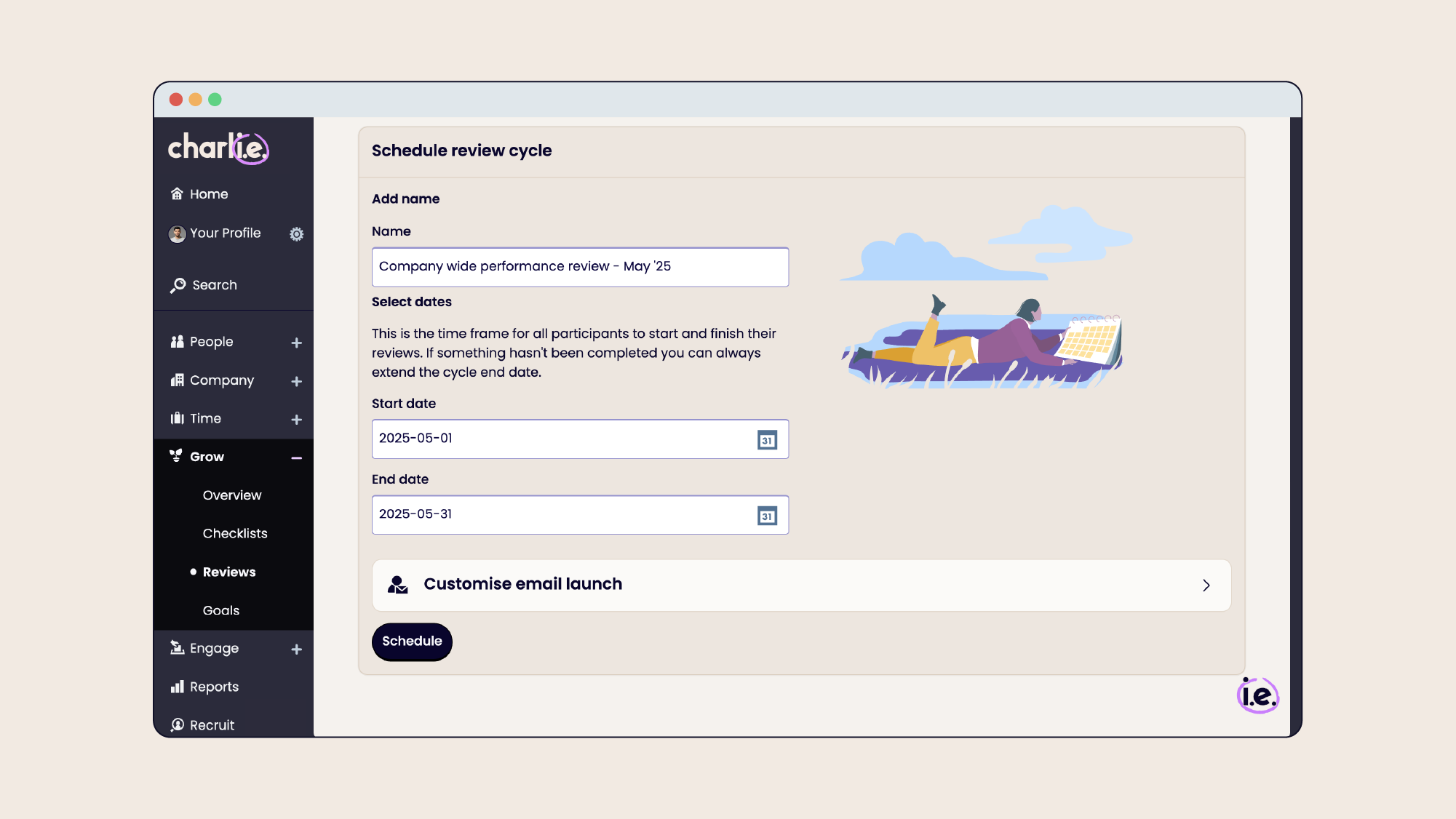
One of the main frustrations of the review process is having to chase people to respond to requests for feedback. Eliminate that with automatic deadlines, reminders, and built-in accountability for everyone involved.
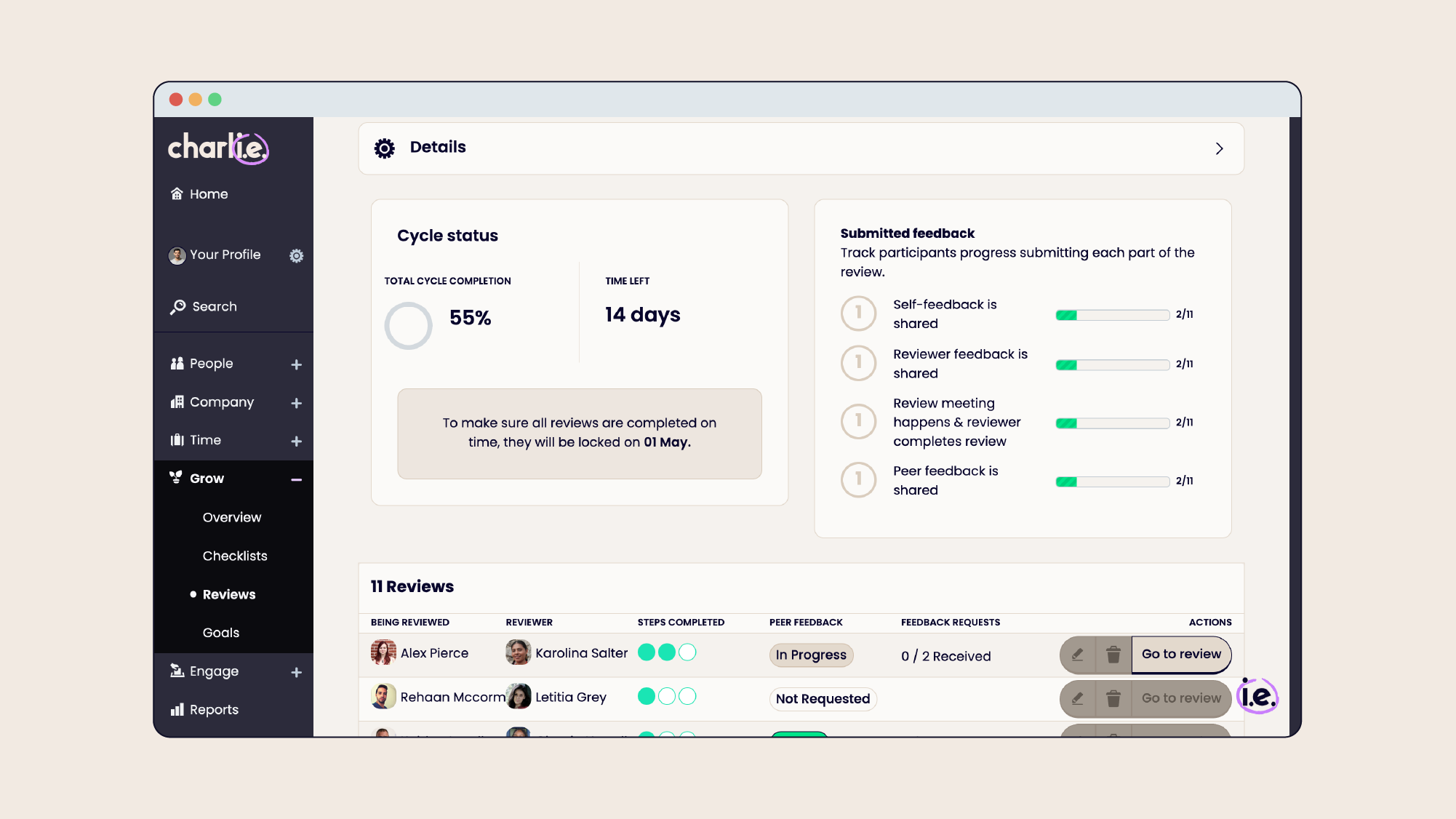
Control who has access to review content with permission settings. Manage the review process at a distance, without having to check in with everyone individually. The dashboard gives you a live view of what's happening across the team — whether deadlines are being met, and where you need to step in.

“It’s a great solution if you’re looking for a quick set up and a very intuitive UI. It’s also budget friendly which is exactly what small businesses like us are looking for, so go for it.”
Jonathan North, Head of Ops at Fix Radio
Read case study
The review process should be clear, simple, and fuss-free, while still allowing plenty of space for feedback, conversation, and growth.
Here's what it looks like to run a review cycle with Charlie:
If this sounds like a better process than what you're working with now, book a demo with our experts to see the software in action.

“Having performance reviews within the software is brilliant. It’s great to be able to come back to past check-ins, but it also takes away the fear of irregular 1 to 1’s as it just becomes part of our routine.”
James Chessum, Founder at Red5 People
Read case study
As you get more comfortable running reviews, you might want to enhance them even further with an extra round of feedback. 360-degree feedback, also known as peer feedback, is included with Charlie.
Adding 360 feedback can:
360s are an optional part of the review workflow, and you can easily toggle them on or off in your settings depending on your needs.
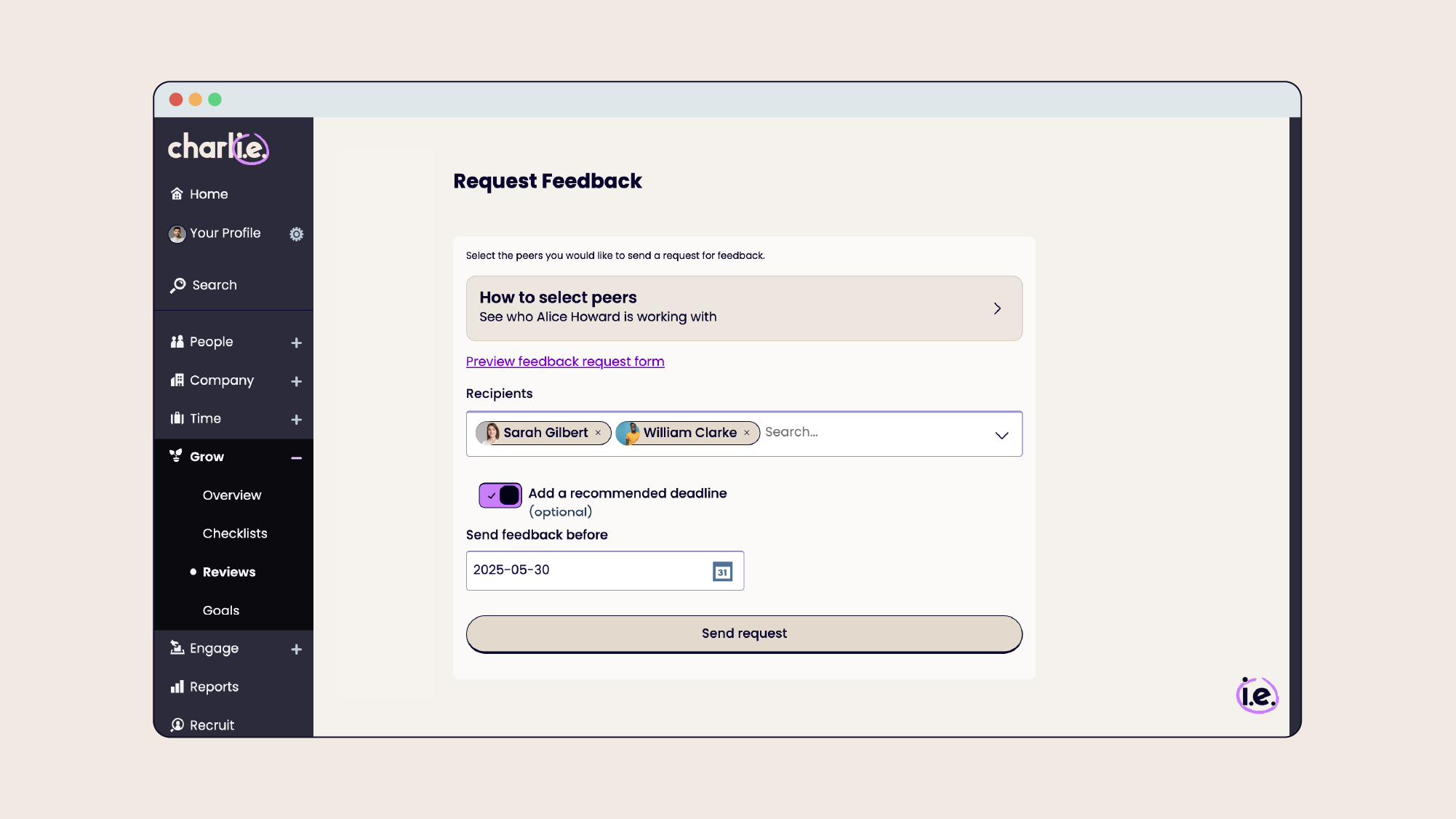
If you've never heard of 360 feedback, no problem, we got you covered with our complete guide on 360 feedback.
Introducing regular performance reviews is just the start. As you grow, make the most of Charlie's features to enhance your review process.
Develop your reviews even further with:
Spreadsheets, Trello boards, and Notion docs can be a useful temporary solution for performance reviews. But these popular tools come with some serious downsides:
Charlie removes these issues completely, and replaces it with:
Charlie is great for helping busy ops managers run performance reviews, but it's also so much more. You can consolidate multiple HR tools into one, as Charlie can become your single platform for:
Instead of navigating different spreadsheets and software, you can have everything in one place.

“To me, Charlie has this ability to be simple, helpful and foundational to HR – it’s also a very joyous software that our team loves to use.”
Rachel Carrell, Founder & CEO at Koru Kids
Read case study

Jenny is a Senior Product Manager at CharlieHR. She has years of experience with product planning and development, and user research too – she put together this guide by collecting data and information on competitors so we could improve our product and tailor it to small business owners.

No. Performance reviews don't need to be complicated or require specialist HR knowledge. The right software should guide you through setting up review cycles, choosing questions, collecting feedback, and keeping everything organised, even if managing HR is only one part of your role.
Performance reviews often get delayed because Ops Managers are responsible for many competing priorities. Performance review software helps reduce admin by automating reminders, providing templates, and giving you visibility over who has completed their reviews.
At Charlie, we think the best process for a small business is one you'll actually stick to: regular check-ins, self-assessments, manager feedback, and a conversation about goals. A lightweight process beats a complex corporate framework you abandon after one cycle. But we know that not everyone wants the same thing, which is why we made Charlie more flexible.
Yes. Every business has different values, goals, and ways of working. Look for software that lets you customise review questions, create different review types, and adapt the process as your company grows.
We usually recommend quarterly or biannual formal reviews, backed by regular informal check-ins in between, so feedback isn't only happening twice a year. Again, that’s however up to the person running reviews.
Clear deadlines, automated reminders, simple questions, and guidance for participants are what actually move completion rates. This is one of the most common performance review challenges, so it's worth building your process around it from day one.
No. Performance review software supports better conversations, it doesn't replace them. It helps managers prepare, capture feedback, track goals, and make sure important discussions don't get forgotten.
Spreadsheets and documents can work when your team is very small, but they often become difficult to manage as you grow. Software like Charlie keeps feedback secure, standardises your process, automates reminders, and maintains a history of conversations, without you needing to build any of it yourself.
Yes. Performance review software isn't only for large companies. Small businesses can use it to create a structured feedback process without needing a dedicated HR team or complex HR systems.
Ops Managers should look for software that is:
Bit biased, but we think Charlie’s the best fit for it, so book a demo if you want to find out more.
You can set up a review cycle in minutes, thanks to our easy-to-use workflow and templates. If you want to create your own template or customise any of the settings, that's simple too. See our guide on how to create a review cycle in Charlie for more information.