
Learn how to cut HR admin
Get any questions answered
Zero commitment
For small businesses growing beyond the first few hires, a structured onboarding process is important for maintaining compliance, protecting data privacy, and creating a professional first impression. But it’s hard to make new starters feel truly welcome when your back-end process is still a manual, disjointed mix of documents and emails.
If you're using Notion to manage employee onboarding, or considering it, you’ll want to know how it holds up as you hire more team members. Should you use Notion for onboarding new employees, or choose dedicated employee onboarding software like CharlieHR?
The difference is that Notion helps you document onboarding, while Charlie is a professional HR software that executes onboarding for you. Notion may work as a starting point, but it relies on someone to manage tasks, follow up on steps, and keep everything consistent as your team grows.
This guide looks at both options directly so you can decide which approach fits your team right now.
Notion and Charlie aren’t in direct competition because they serve different purposes. Each fits teams at different stages of growth.
Use Notion if:
Use CharlieHR if:
Area
Notion
(DIY Workspace)
CharlieHR
(HR Software)
Setup
Manual (Build from scratch)
Pre-built automated workflows
Task Management
Self-managed checklists
Automated task assignment and reminders
Compliance
DIY (No built-in onboarding compliance workflows)
Built-in compliance: HMRC starter checklists, Right to Work checks, and GDPR
Data Security
General workspace security
Secure HR system for employee data and documents
Automation
Requires manual setup and maintenance
Runs automatically when you add a new hire
Employee Experience
Static document viewing
Structured self-service onboarding flow
The key difference between the two is that Notion helps you organise the onboarding process, but CharlieHR runs it for you.
Notion is a popular starting point for businesses running HR without an in-house HR department. But it’s not a long-term solution for businesses because it’s quickly outgrown, even by small teams.
As you move beyond the first couple of employees, Notion for onboarding begins to feel scattered, and the manual setup requirements can quickly become overwhelming.
CharlieHR automates the onboarding process into a structured workflow so new hires can submit their own pre-employment paperwork, and you can feel confident that compliance regulations are always on track.
The biggest difference small businesses notice when they move from Notion to HR software like Charlie is that less of onboarding depends on manual setup, follow-up, and document handling.
Notion is a tool for documenting your onboarding content, whereas CharlieHR is a tool for executing the actual process.
Think about how you handle a standard HR form:
In Notion, onboarding consists of a collection of static documents for new hires and other team members to read.
On Charlie, onboarding is a dynamic workflow that pushes the right information to the right person at exactly the right time.
You can see the difference clearly when you look at how each handles a new hire's 'Welcome' pack:
Even with Notion’s latest features, the process is still based on your DIY-build. You design and add triggers, and maintain the entire system, on your own.
Charlie removes this admin burden by automatically triggering checklists, reminders, and data collection the moment you add a new hire.
Compare how each system deals with what happens if you make changes to your onboarding process:
Storing sensitive files like passport scans or contracts in a general-purpose workspace such a Notion can create significant security gaps.
Charlie provides a secure HR system built for employee data, document handling, and compliance workflows, ensuring you're 100% protected against the potential data leaks common in open-access tools.
Consider the risk involved in collecting sensitive documents:
The fundamental shift when moving from Notion to Charlie is moving from a system that depends on people to one that runs itself. In Notion, the burden is on you to remember the process. In Charlie, the process remembers it for you.
Notion is undeniably flexible and affordable, which is why many founders, CEOs, and Managing Directors use it for their first one or two hires. You can build a beautiful "Welcome" wiki with pages for company values and basic checklists.
However, Notion is a content tool, and most of the work in onboarding is coordination—not documentation. As you grow, you quickly find that what worked for your first hire starts breaking. You end up with a scattered setup where contracts are in one folder, passport scans are in another, and "to-do" lists are buried in a database that nobody checks.
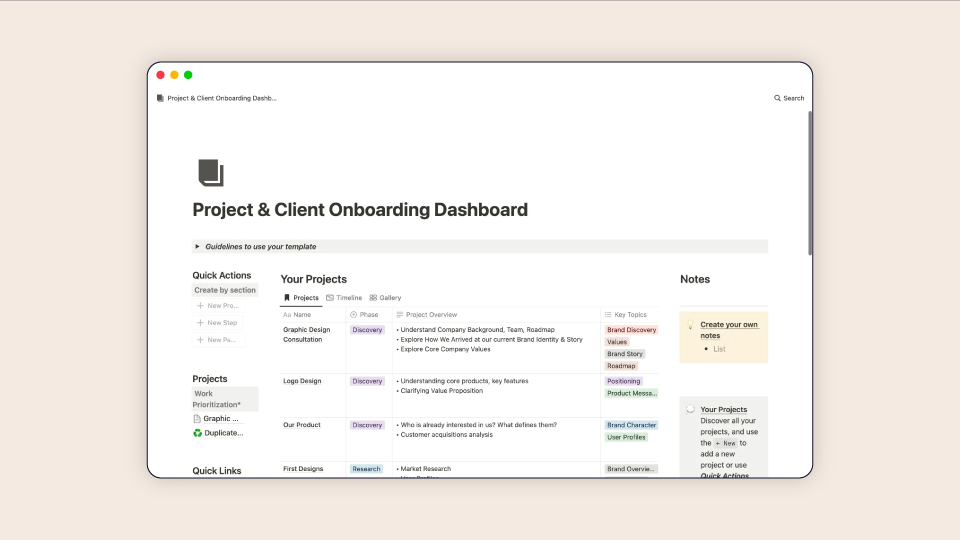
Because Notion is so open-ended, it requires significant "tool management." You have to manually set up triggers and hope your new hires know how to navigate the workspace.
If a manager forgets to check a notification, a new starter checklist can stall. This DIY setup also puts the burden of privacy on you, as the open-access nature of the platform makes it easier for sensitive employee data to accidentally end up in areas where it shouldn't be.
Upgrading to Charlie means moving to a structured, automated workflow designed to provide the best onboarding experiences. Instead of you chasing down a new hire for missing ID scans, signed contracts, or bank details, the software takes care of the admin from day one.
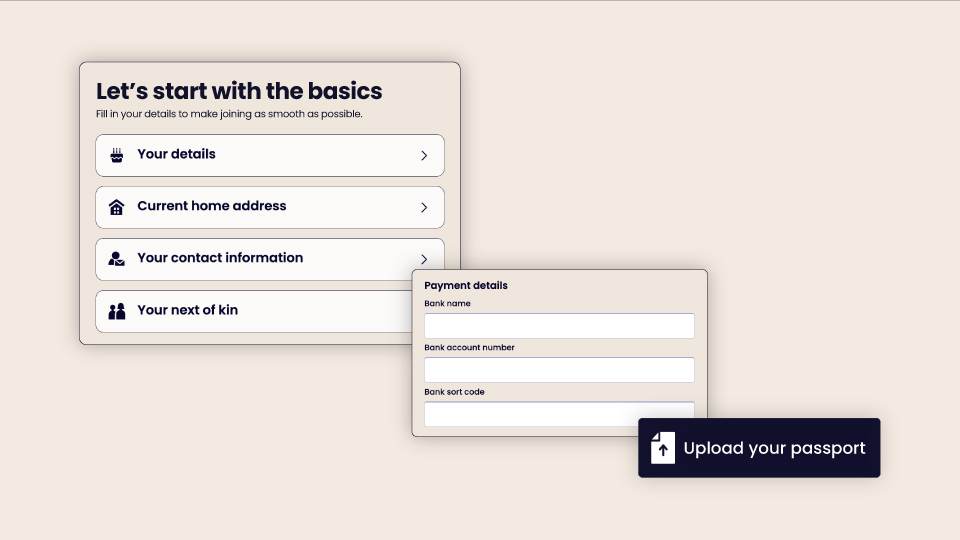
The moment you add a new hire, Charlie triggers a dynamic process:
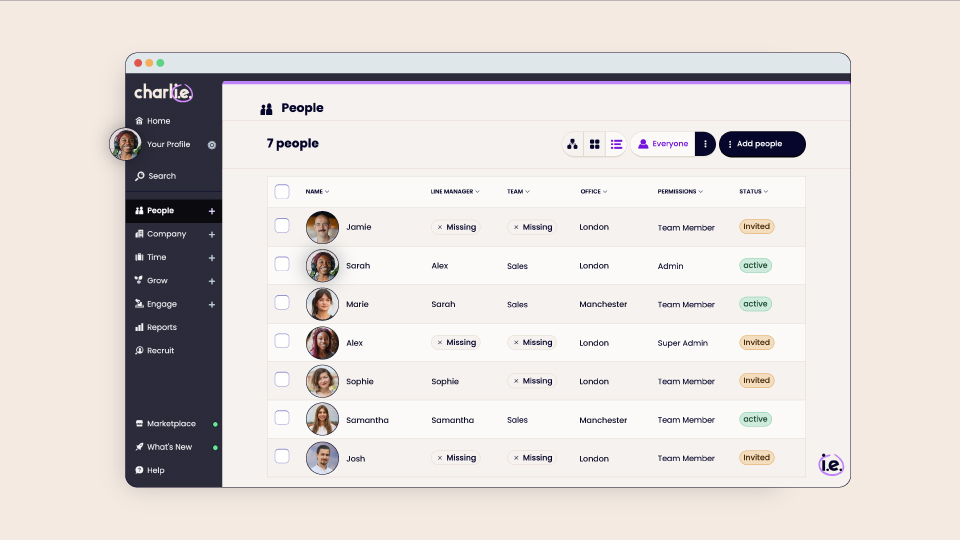
By choosing onboarding with Charlie, you remove the "luck of the draw" for new hires. Whether they join a busy manager or a quiet team, they receive a consistent, professional welcome email for new employees and a smooth first-day experience.
The difference comes down to what the tools are actually built to do. Notion gives you the building blocks to create your own workflow from scratch, whereas Charlie gives you a ready-to-use system that organises the onboarding logistics for you.
Feature Area
Notion
(Manual Workspace)
CharlieHR
(Automated HR)
Primary Use Case
Project management, notes, and wikis
Running HR processes and compliance
New Hire Tasks
Manually shared docs and checklists
Automated self-service flow
Reminders
Dependent on manual notification settings
System-generated "nudges" for tasks
Data Privacy
General workspace (Open access risk)
Secure HR system for employee data and documents
Setup and admin effort
Manual setup each time you hire
Ready-to-run onboarding process
While the limitations of a manual setup become clear as you scale, understanding why so many teams start with Notion in the first place helps pinpoint exactly when it's time to make the switch.
While Notion is a powerhouse for general work, its performance changes when you use it for a specialised process like onboarding.
According to statistics from Capterra, most people use Notion for project and task management, note-taking, and document management.
Notions most popular use cases (based on 225 Capterra reviews):
G2 reviewers frequently highlight Notion’s ease of use and strong organisation as one of their favorite features.However, the time it takes to learn and build a system in Notion is one of its greatest drawbacks, as more than 15% of Notion G2 reviewers mention its learning curve as a one thing they don’t like about the software.
When you’re using Notion to manage a new hire’s first week, its strengths and weaknesses take on a whole new level of depth.
Notion is an excellent tool that’s ideal for some tasks like documentation and small project tracking. In fact, we use Notion ourselves for certain project documentation and meeting notes.
As our Charlie People and Talent Lead explains:

Notion is likely enough for you if:
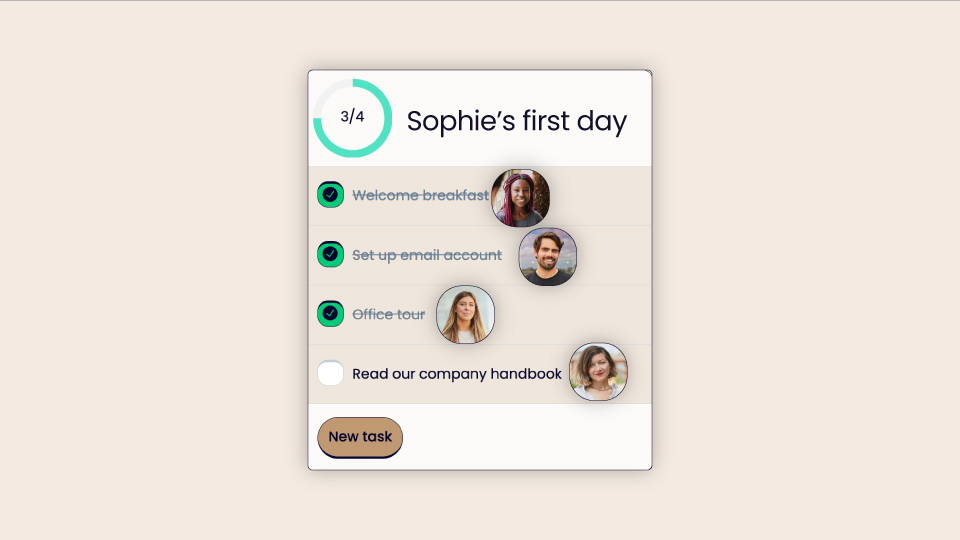
The transition from Notion to Charlie usually happens when a founder or CEO realises that onboarding shouldn’t depend on someone remembering what to do next. While Notion is a great place to start, scaling a team requires a shift from manual coordination to a system that handles the logistics for you.
Teams typically make the move to reach these specific outcomes:

When your onboarding lives in a general workspace like Notion, you may find yourself spending more time managing the tool than you do managing your people. Moving to a dedicated system means your first day with a new hire is spent welcoming them, not chasing their paperwork.
The goal isn't just to have a digital checklist. It’s to have an onboarding process that runs itself so you can focus on building your team.
When your onboarding process starts to feel slightly messy and relies on you remembering every single step, it’s a sign that you’ve outgrown your workspace.
You’ll know you’ve reached the tipping point if:
You don’t need to be a "builder" to run a great team; you just need a system that supports you.
Ready to move from "DIY" to "Done for you"?
Stop spending your Monday mornings fixing broken links and chasing paperwork. Move your onboarding to a system that runs itself, protects your data, and gives every new hire a professional first day.


Notion is a great starting point for storing company wikis and culture handbooks. However, it lacks the automation and security required to run a compliant HR process at scale.
As your team grows, broader recordkeeping requirements make dedicated HR software a better fit.
For example, onboarding involves compliance steps like right to work checks and secure document handling. When those steps are managed in a general workspace, it becomes easier to miss follow-ups, lose track of records, or handle sensitive documents in the wrong place. As your team grows, broader recordkeeping requirements can also make dedicated HR software a better fit.
There are many amazing free Notion HR templates for onboarding new employees, but they’re static documents. This means you still have to manually assign tasks, send reminders, and verify that paperwork has been completed.
Dedicated onboarding software protects sensitive data (like salaries, home addresses, and passport scans) in a secure, encrypted system with restricted access tiers. Check our best employee onboarding software guide for more guidance.
Most UK startups should consider making the move early on, before they have five or more employees. At this stage, the work of manually chasing signatures and managing spreadsheets becomes a full-time job, yet compliance is critical. If you find yourself spending more time managing your onboarding tool than welcoming your new hires, it’s time to switch to a system like Charlie.