

Learn how to cut HR admin
Get any questions answered
Zero commitment

Onboarding your first hire is exciting, but it also surfaces new challenges like contracts, right to work checks, HMRC forms, and first-day plans. You feel under pressure to get everything right — whether you’re the founder wanting to impress the new hire, or an office manager that’s been handed the task.
The go-to starting point is often a simple doc or a to-do list that lives inside your head or emails. It works fine at first, until it doesn’t: because onboarding is so much more than completing tasks, it’s also about the way your employee feels about joining the company.
This guide explores why that first onboarding experience is crucial, how software can make a difference, and how Charlie can help you make onboarding manageable, repeatable, and professional right from the start.
You’ve found your first employee and you’d like to keep around for the long haul, but the first few moments can make or break the relationship. A positive experience signals that they’ve found their place, but a negative one might make them rethink their decision.
The way you onboard team member number one often sets the tone for your next few hires. A process that’s ‘good enough’ might feel like it works fine, but it’s easy to miss important onboarding steps or opportunities to create a better experience for your new team members. Everything matters at this stage. If you drop the ball, there’s no HR team to catch it. It can feel like there’s endless paperwork, legal requirements, and processes competing for your attention, when all you want is to make sure your new hire feels welcome.
Your first employee doesn’t expect perfection, but they do deserve the kind of experience that stands out for the right reasons.
Free tools and cobbled-together systems have their uses, but they’re not ideal for onboarding employees — especially ones that you want to stick around. The right onboarding software saves you time, keeps everyone accountable, and signals to new hires that they’ve made the right decision.
Small business onboarding can be painfully manual. Chasing people for documents or updates, following up on tasks, reminding the IT team to get everything set up: these are all tasks that land on your plate, whether you have time to take them on or not.
Onboarding software takes this admin layer off your plate. Document requests, prompts, compliance checklists, and reminders are all part of an automated process. The result is that you no longer have to chase and nothing essential slips through.
The goal of automating these steps isn’t to make onboarding feel robotic: it’s to remove the admin overwhelm so managers can focus on being around to make new hires feel welcome. Less form filling, more human interactions.

There’s a lot of information to collect when someone joins the company. Managers get stuck in back-and-forth email chains and lose time manually updating employee records.
Self-service onboarding tools eliminate this unnecessary admin. Instead of chasing a new hire for their P45, bank details, or emergency contact information, your employee can submit this information themselves.
Employees can provide the details you need faster and with greater accuracy. Plus, they get to feel more involved in the onboarding process: they’re no longer a passive bystander.
Most small businesses ask for the right new starter documents, but it’s not always done in the most effective way. Contracts, passport photos, and P45s all get sorted eventually but nothing arrives together or is stored in the same place.
Onboarding software with built-in document storage (like Charlie) allows you to request specific documents at the right time, with automatic reminders to ensure nothing gets missed. Collecting the right tax forms, ID, certifications, and evidence for right to work checks becomes part of your workflow rather than being something to worry about.
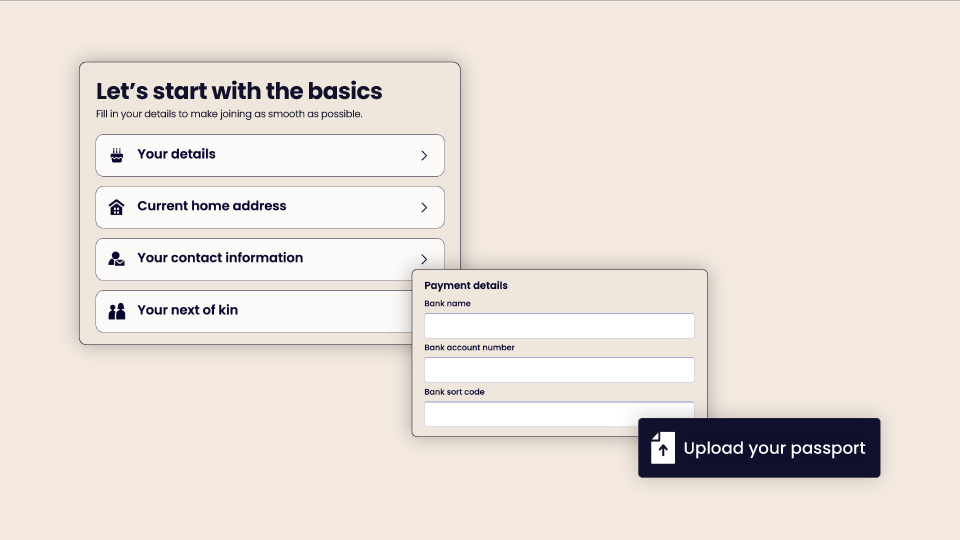
It’s easy for employee data to send up scattered across different tools and systems. Contracts in Google Drive, salary details in spreadsheets, and personal info in email threads: all completely normal for small businesses.
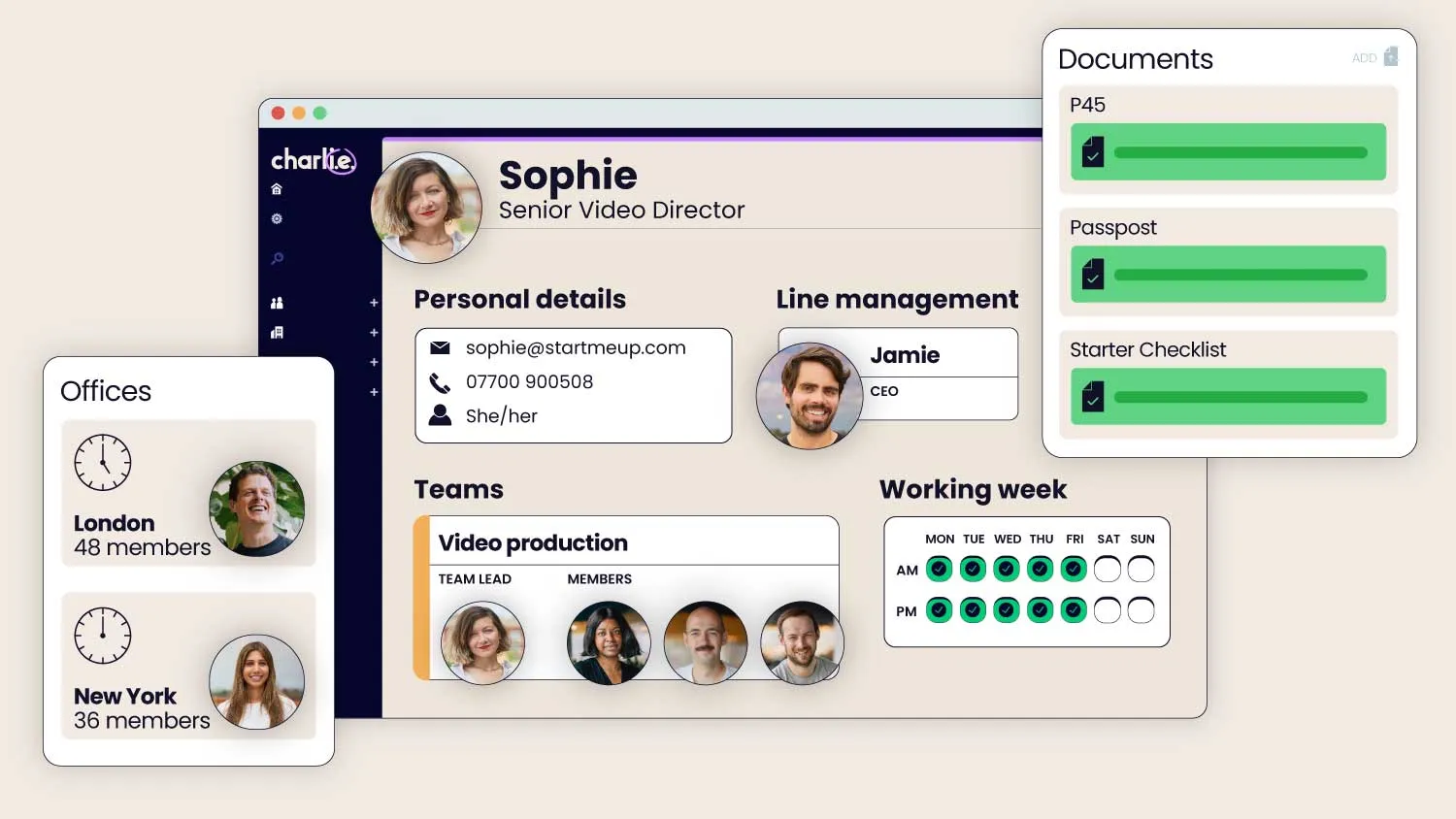
There is a better (and more compliant) way to handle employee data. Onboarding software like Charlie gives you a central place to store everything. Every employee has their own profile where you’ll find their contract, personal details, documents, salary information, and payroll data — all easily accessible to the right people.
Keeping all your employee data in one place doesn’t just make things easier for you — it’s also a compliance baseline. When you need to find something quickly for an audit, query, or exit, it’s right there: available in minutes and with a clear audit trail.
First impressions matter, and the expectations are high. Joining a small business can be risky, so your new hire wants to feel confident that you have everything taken care of.
Onboarding software helps you organise your new starter admin so you can make sure their equipment is ready, you have all the documents you need, and you’re ready to give them a warm welcome.
A clear onboarding process isn’t just about collecting information and completing a checklist — it creates a sense of confidence and trust that you’re capable of the kind of professionalism your new hire expects.
It’s clear that onboarding software creates a better experience for everyone involved, but how do you know you’ve found the right tool? These are just some of the reasons why small businesses choose to use Charlie for onboarding.
Charlie wasn’t adapted from some enterprise product — we’ve built it from the ground up for teams of under 50 people. It’s intentionally designed for small businesses.
The features, default settings, pricing, and support experience are all tailored for small business CEOs and founders wearing many hats, rather than big HR teams.
See why Charlie is an ideal onboarding software for small businesses, and why it’s one of the best onboarding software tools.
Run your onboarding flow in a way that makes sense for your business, whether you’re an agency bringing on a senior hire or a retail business onboarding a part-time team member.
Decide which documents to collect, tasks to complete, and who should be assigned based on how your business actually works, not a standard template – all within our interactive checklists, so nothing gets missed. Welcome new hires with a polished onboarding portal and a consistent experience every time, rather than generic email threads.
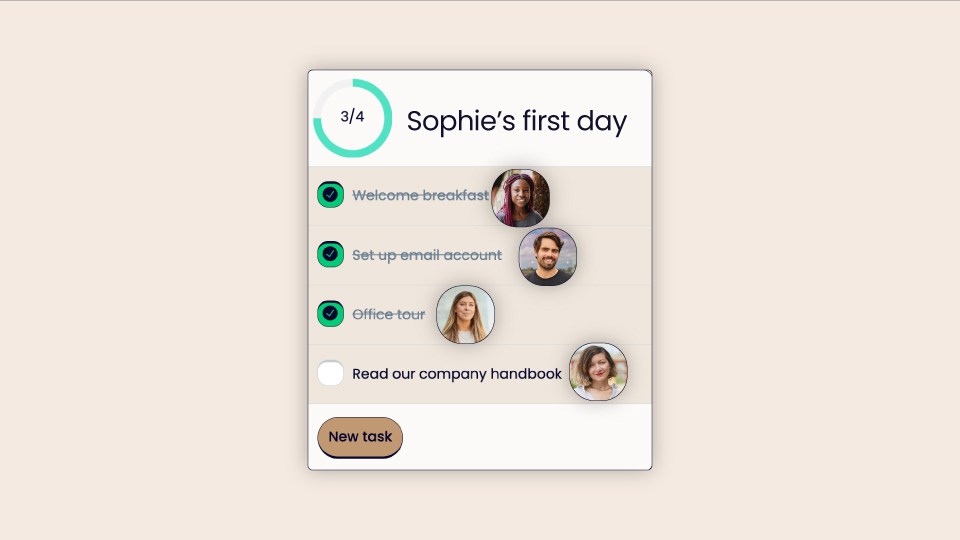
Onboarding is normally a side job in a small business, and when it involves multiple people it’s easy to forget a step. Bring office managers, IT, and line managers together with a platform that keeps everyone accountable.
Remove any confusion over who is responsible for what and say goodbye to manually following up on tasks. Assign tasks within our interactive checklists to the right person so nothing gets missed.
HR software has an image problem: most systems are too difficult to use, too corporate, or too hard to maintain. Charlie doesn’t have these problems as we’ve designed it to be easy to navigate and use, whether you’re an admin user or employee.
Charlie is approachable, clean, and intuitive. It’s an ideal choice for your first HR software or if you feel disillusioned by the kind of traditional, complex software you’ve used in the past and want something more user-friendly. More than 3,000 small businesses use it, including Koru Kids:

Sensitive employee data should never live inside an email thread. Charlie is a safe place to collect and store contracts, right to work documents, bank details, and other personal information.
Your employee’s data and documents are stored securely, with access controls and an audit trail that allows you to stay compliant with the UK GDPR and data protection requirements.
Learn more about security at Charlie.
The admin might be taken care of, but the worry shifts to a different focus: is the new employee happy? Will they stick around?
Thoughtful leaders end up questioning whether their new team member is settling in okay, whether everything is clear enough, and if they have enough support. You want your new hire to stay—not just because rehiring in the first 90 days is expensive and demoralising, but because you don’t want to disappoint them.
Onboarding is more than just completing a to-do list. Regular check-ins, the right goals, and clear expectations around role, workload, and probation help your new hire feel settled and part of your long-term journey.
Charlie can take care of the onboarding admin and support the human side of the process, with built-in goal tracking, probation reminders, and a probation review template. You take care of the personal connection and work, and the platform is there to back you up with workflows and reminders.
How you approach the human side of onboarding is the difference between onboarding being “done” and it actually working.
.jpeg)
Small businesses use a real mix of tools to take care of onboarding — from simple spreadsheets to overly-complex HR platforms. Here’s how Charlie compares to other ways you could onboard your first few hires.
Most small businesses start out with a Word or Google doc for process notes and checklists and a spreadsheet for storing employee data. These documents have a “print and forget” problem and quickly go out of date, and there’s no real way to introduce accountability with reminders or an audit trail.
Switching from spreadsheets to automated, self-service HR software is a significant improvement. Automation, accountability, and access controls are built in, so there’s never any confusion over who’s responsible for tasks or when they’re due.
Compare spreadsheets vs. HR software and learn why people switch from spreadsheets to Charlie.
Notion, Trello, and Monday.com are flexible tools that can work for task management, but they lack some of the features that dedicated onboarding software has: like compliance tracking, document management, and employee profiles. These tools also take a long time to set up, configure, and maintain — a luxury that most CEOs and founders don’t have.
Many small businesses actually switch to Charlie after using Notion, Trello, or Monday.com after realising that these tools weren’t the right fit for what they need.
Some people jump straight into using big, established HR platforms like BambooHR or Workday because they feel familiar. But they’re not the right tool for the job — it’s like using an enterprise-level CRM when you have ten clients.
Larger HR software is overly complex, too expensive, and doesn’t align with the way you want to run your business. Charlie meets you where you are and scales with your business, so it’s the right fit at 5 employees and at 50. Curious to see how Charlie stacks up against other HR tools? See our guide to the best onboarding software for small businesses.
The way you onboard your first employee sets the tone for future hires. The right onboarding software simplifies the admin side of onboarding and gives you the tools you need to take care of the human elements too.
Charlie enables you to create positive onboarding experiences from the start, with tools that promote compliance, accountability, personalisation, consistency, and support.
Book a demo with our friendly team to see how Charlie can support you with onboarding and more.
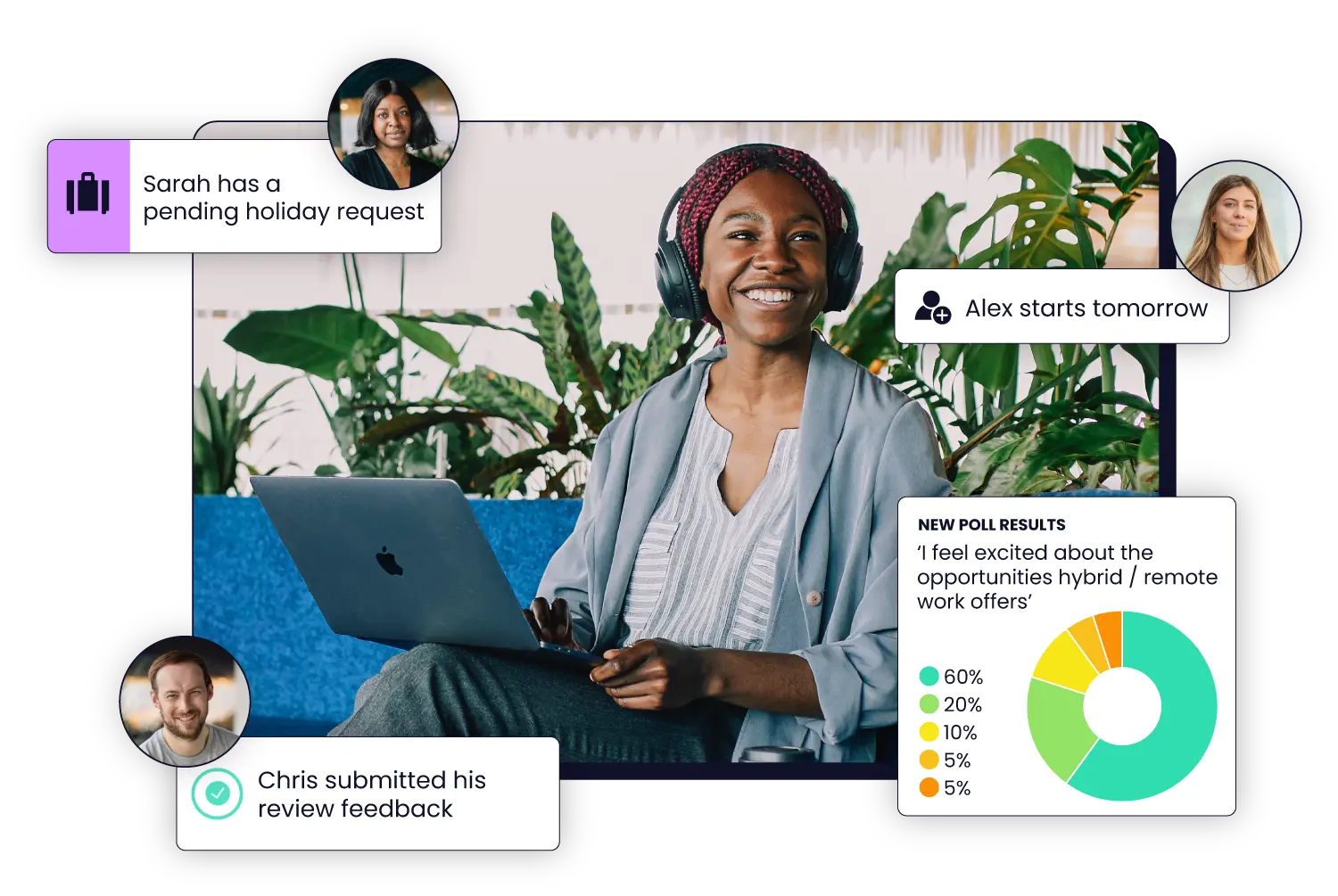

You might be able to make do with a simple doc and a spreadsheet for your first hire, but introducing a lightweight onboarding software early has real benefits. Manual onboarding takes time, is open to human error, and creates a messy first impression. Dedicated onboarding allows you to welcome your new hire efficiently and professionally.
Charlie’s onboarding software includes document collection, task assignment, reminders, and compliance checklists. Create your own onboarding workflow with our checklists, assign tasks, and automate admin tasks so you can take care of the human side of onboarding.
Yes, Charlie is ideal for a small business with less than 10 employees. You’re never too small to get started with HR software — especially one designed for new and growing teams, like Charlie.
As an employer in the UK, key legislation and requirements to be aware of include right to work checks, the HMRC starter checklist, contract requirements, and the UK GDPR. Explore our pre-employment checks guide and new employee starter checklist for more details.
Most Charlie users get started within 1-4 weeks, including setting up an onboarding workflow. It’s not a long-term project like it is with traditional HR software — set up and customise the process as and when you have the time.
Yes, Charlie is ideal for hybrid or remote onboarding. Employees can upload documents and provide details from any location, and you can customise checklists and tasks to match your new hire’s needs — whether that’s to attend an in-person onboarding session or have their equipment ordered to their home office.
Look out for signals that they may not feel comfortable yet, like disengagement, a lack of questions, and confusion about their goals or work. Introduce more regular check-ins, work together to create clearer goals and expectations, and consider extending their probation to give them more time to feel settled.